![How to Perform a WordPress SEO Audit [Step-by-Step Guide for Beginners]](https://wpbadgers.com/wp-content/uploads/2026/01/How-to-Perform-a-WordPress-SEO-Audit-Step-by-Step-Guide-for-Beginners.png)
Key Takeaways
- Make Sure Google Can Find Your Website: Before anything else, check that your site isn’t accidentally blocking search engines from crawling or indexing your pages. If Google can’t access your content, it won’t rank.
- Speed Really Matters: A slow website can hurt both your rankings and the user experience. Pay close attention to Core Web Vitals, especially Largest Contentful Paint (LCP) and Cumulative Layout Shift (CLS), because they can make a real difference.
- Clean Up Weak Content: Here’s something a lot of people overlook-old, outdated, or low-value pages can drag down your site’s overall performance. If a page isn’t helping, either improve it, combine it with stronger content, or remove it altogether.
- Fix Technical Issues Before They Pile Up: Broken links and 404 errors don’t just frustrate visitors-they also make it harder for search engines to crawl your website. Running regular site audits helps keep everything working the way it should.
- Don’t Ignore Mobile Users: These days, most people browse on their phones, and Google knows that. If your website doesn’t work smoothly on mobile devices, you’re likely leaving rankings and potential customers on the table.
- Keep Your Plugins Under Control: It’s easy to install plugin after plugin, but too many can slow down your website and create unnecessary code. Every so often, go through your plugin list and keep only the ones you actually need.
More than 90% of websites get little to no organic traffic from Google. It sounds surprising, but it’s a reality that many business owners face. You can have a beautiful WordPress website, professional images, and a product or service that genuinely helps people, and still struggle to show up in Google search results.
The thing is, if your website hasn’t been through a proper WordPress SEO audit, Google may not fully understand or trust it. As a result, your pages can end up buried in the search results, no matter how good your content looks. That’s exactly why a complete SEO audit is one of the smartest investments you can make if you want to grow your website and attract more organic traffic.
Think of a WordPress SEO audit as more than just a routine website checkup. It’s a deep dive into how your site is built, how search engines see it, and what’s preventing it from reaching its full potential. At first, terms like XML sitemaps, robots.txt, schema markup, and canonical tags might sound intimidating. But in reality, WordPress makes managing most of these technical SEO elements much easier than you might expect.
Let’s be honest-every website develops issues over time. Plugins become outdated, themes stop performing as well as they used to, pages pile up, and older content slowly loses relevance. These small problems may not seem like a big deal individually, but together they can seriously hurt your rankings and limit your organic traffic.
In this guide, we’ll walk you through a complete, step-by-step process for performing a WordPress SEO audit like a professional. Along the way, you’ll learn how to uncover the hidden issues holding your website back, understand why they matter, and, most importantly, fix them so your site has a much better chance of climbing back to page one of Google.
What Is a WordPress SEO Audit?
A WordPress SEO audit is a systematic review of your website to identify issues that prevent it from ranking well on search engines like Google.
It checks technical setup, content quality, on-page SEO, site speed, and indexing. The goal is to find gaps and fix them so search engines can crawl, understand, and rank your site properly.
Why Does a WordPress SEO Audit Matter?
How This Problem Affects Users
Ignoring a WordPress SEO audit can quietly damage your website’s growth.
For example, I’ve seen blogs with great content get zero traffic because pages weren’t indexed or titles were poorly optimized.
Businesses lose leads, bloggers waste months, and site owners assume “SEO doesn’t work” when the real issue is unresolved technical or on-page problems.
Common Myths or Misunderstandings
Many beginners believe:
- “Installing an SEO plugin is enough”
- “WordPress is automatically SEO-friendly”
- “SEO audits are only for experts”
In reality, plugins don’t fix SEO by themselves, and WordPress still needs proper configuration, content optimization, and regular checks.
Common Challenges People Face With WordPress SEO Audits
Beginners often struggle with:
- Not knowing which SEO issues matter most
- Feeling overwhelmed by tools like Google Search Console or Ahrefs
- Confusing SEO plugin settings
- Ignoring technical problems like indexing or site speed
- Making random changes without a clear audit process
If these issues are ignored, your site may stay invisible on Google—no matter how good your content is.
WordPress SEO is the process of optimizing a WordPress website to improve its visibility and rankings on search engines—learn what is WordPress SEO.
How to Perform a WordPress SEO Audit the Right Way
Below is a step-by-step WordPress SEO audit process I personally use for beginner websites and small businesses.
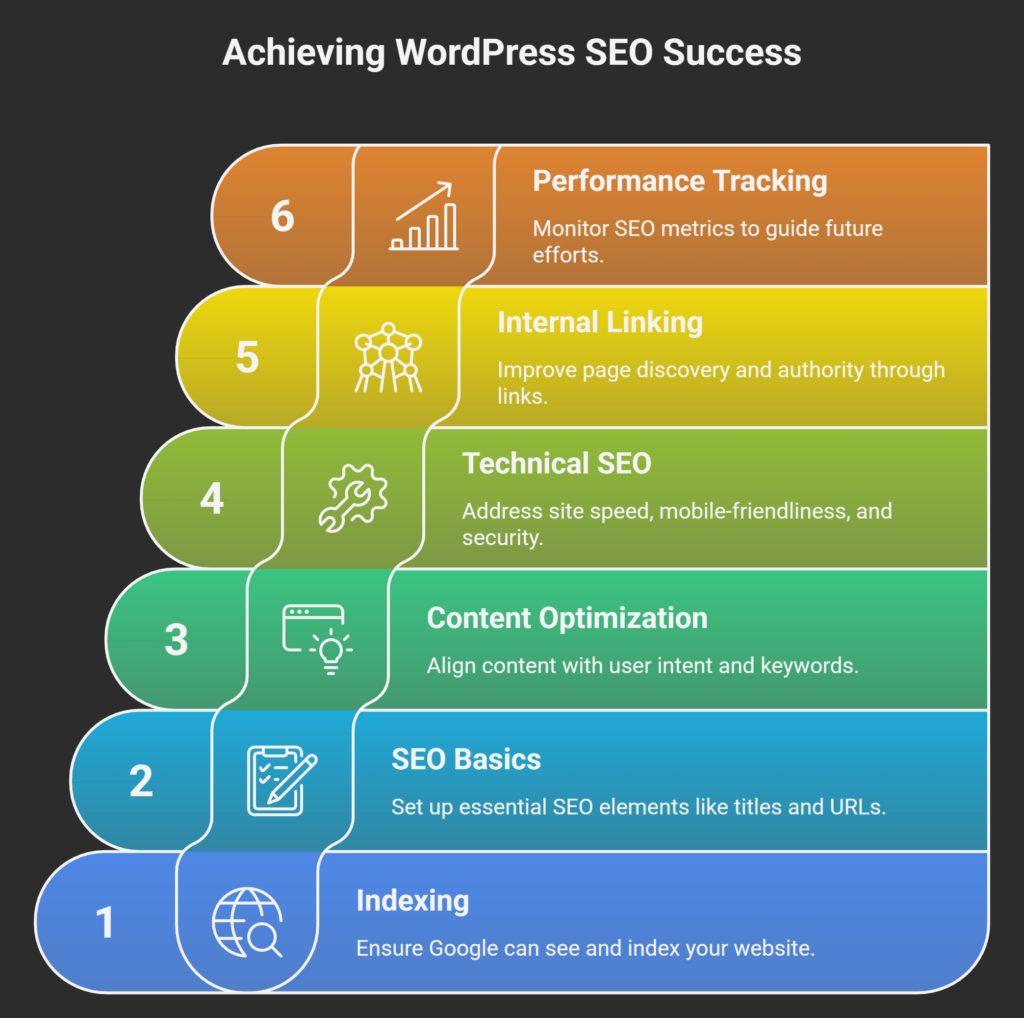
1. Pre-Audit Preparation: Setting the Foundation
Before you start poking around your site’s code, you need the right data. You cannot fix what you cannot measure. A successful seo audit wordpress process starts with connecting your site to the “Big Two” of SEO tools.
Google Search Console (GSC) Setup
Google Search Console is the most direct line of communication between you and the search engine. It tells you exactly how Google sees your site. During your audit, GSC will highlight indexation issues, mobile usability errors, and security threats.
- Action Tip: Check the “Coverage” report first. If you see a spike in “Excluded” pages, it’s a red flag that Google is struggling to crawl your content.
Google Analytics 4 (GA4) Integration
While GSC focuses on “the bot,” GA4 focuses on “the human.” You need to understand which pages have high bounce rates or low engagement times. During an audit seo wordpress session, look for pages that have high impressions in GSC but low click-through rates (CTR) in GA4. This indicates a need for better meta titles or descriptions.
Choosing Your Crawling Tool
For a deeper dive, consider tools like Screaming Frog (free for up to 500 URLs) or Sitebulb. These tools mimic Google’s crawlers and provide a spreadsheet of every single error on your site, from missing Alt text to duplicate H1 tags.
2. Indexability and Crawlability: Can Google Find You?
If Google cannot crawl your site, nothing else matters. This is the first technical pillar of seo audits for wordpress websites.
Check Search Engine Visibility
It sounds simple, but you would be surprised how many developers leave the “Discourage search engines from indexing this site” box checked after moving a site from staging to live.
- Navigation: Settings > Reading > Search Engine Visibility.
- Rule: Ensure this box is unchecked.
Analyze Your Sitemap.xml
A sitemap is a roadmap for Google. In WordPress, most SEO plugins like Yoast or Rank Math generate these automatically.
- Audit Step: Visit
yourdomain.com/sitemap_index.xml. Ensure it includes your latest posts and pages but excludes “noise” like tag archives or utility pages (e.g., “My Account” or “Thank You” pages).
Robots.txt Optimization
Your robots.txt file tells bots where they shouldn’t go. A common mistake in a wordpress seo audit is accidentally blocking the /wp-content/uploads/ folder, which prevents Google from indexing your images.
| Element | Ideal Status | Common Error |
| Sitemap | Submitted to GSC | Missing or 404 error |
| Robots.txt | Clean & simple | Blocking CSS/JS files |
| Index Status | Most pages indexed | High number of “Discovered – currently not indexed” |
3. On-Page SEO Structure and Content Quality
Once you’ve ensured Google can enter your “house,” you need to make sure the “rooms” are organized. This is the core of any seo audit for wordpress website.
Hierarchy of Headings (H1-H6)
Every page should have exactly one H1 tag that includes your primary keyword. Subsequent sections should use H2s for main points and H3s for sub-points.
- Actionable Tip: Use a browser extension like “SEO Quake” to instantly view the heading structure of any page. If you see multiple H1s or skipped levels (like H2 to H4), fix them immediately to improve readability for both humans and bots.
Keyword Consistency and Placement
Ensure your primary keyword appears in the first 100 words, at least one H2, and the meta data. Avoid keyword stuffing. Modern SEO is about Topic Authority. If you are writing about a wordpress seo audit, Google expects to see related terms like “search console,” “crawling,” and “site speed.”
Addressing Thin and Duplicate Content
WordPress is notorious for creating duplicate content through category and tag archives.
- The Zombie Page Audit: Look for pages with fewer than 300 words. If they don’t provide unique value, either “Noindex” them, redirect them to a stronger page, or expand them into a comprehensive guide.
4. Technical Performance and Speed Optimization
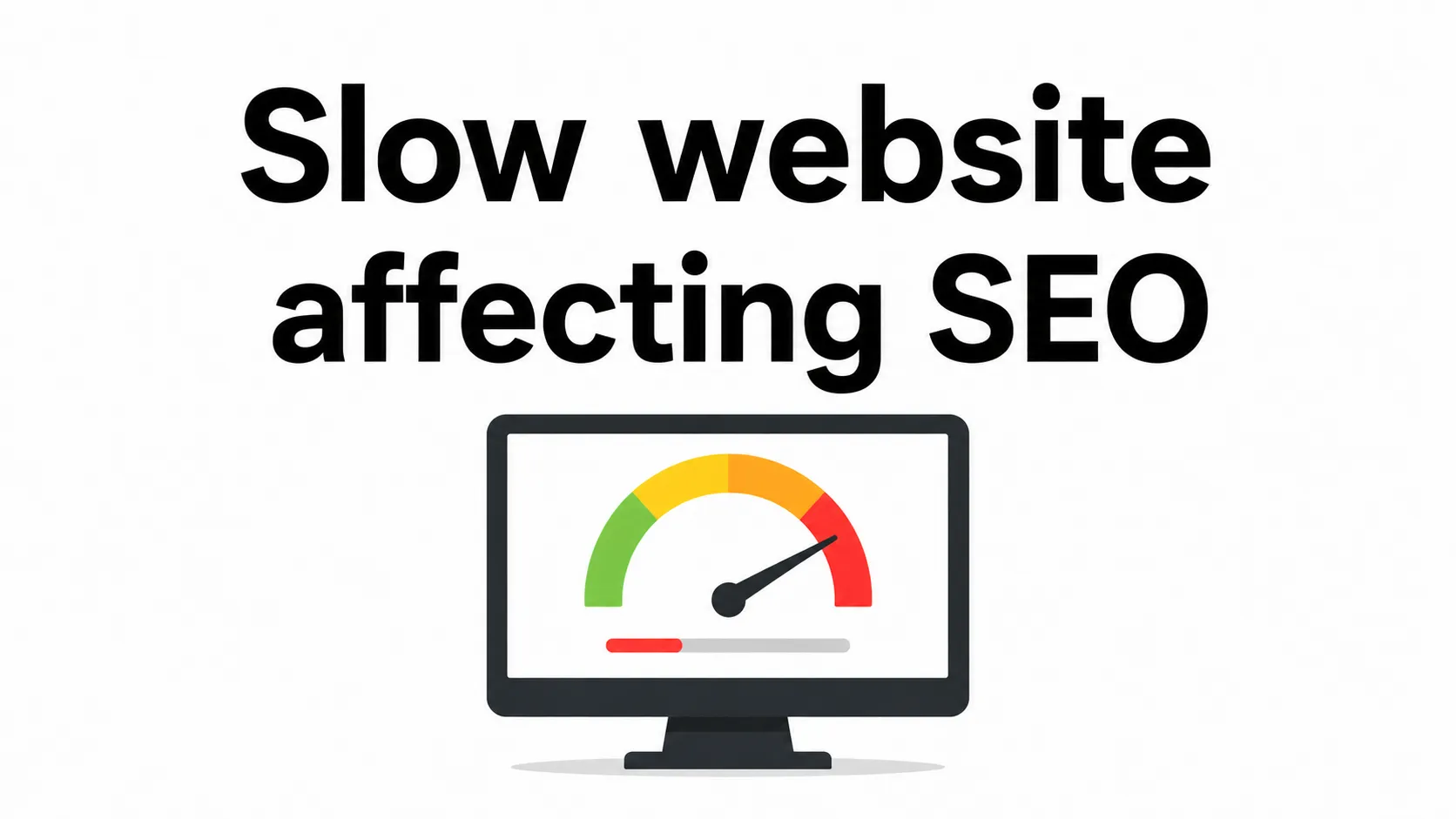
In 2026, speed is not just a luxury; it is a ranking factor. Google’s Core Web Vitals (CWV) are the benchmark for a healthy wordpress seo audit.
Largest Contentful Paint (LCP)
LCP measures how long it takes for the largest element (usually a hero image or headline) to load. It should happen within 2.5 seconds.
- Fix: Use a plugin like WP Rocket or FlyingPress to implement “Preloading” for your featured images.
Cumulative Layout Shift (CLS)
Have you ever tried to click a link, but the page shifted and you clicked an ad instead? That’s poor CLS.
- Fix: Always define width and height attributes for images and video embeds in your WordPress editor.
Image Compression and Next-Gen Formats
Large, unoptimized images are the #1 reason for slow WordPress sites.
- Real-World Example: We once audited a Noida-based retail site where the homepage was 15MB because of raw DSLR photos. By converting them to WebP and using “ShortPixel,” we reduced the page size to 1.2MB, resulting in a 40% jump in organic rankings within a month.
5. Site Architecture and Internal Linking
How “link juice” flows through your site determines which pages Google thinks are important.
The Power of Internal Linking
Internal links help Google discover new content and establish a hierarchy. When performing your wordpress seo audit, look for “Orphan Pages”—pages that have zero internal links pointing to them. These pages are almost impossible for Google to rank.
- Action Step: Create a “Related Posts” section at the end of your blogs or manually link to your wordpress seo services page whenever you discuss business growth.
URL Structure (Permalinks)
Your URLs should be “pretty” and descriptive.
- Good:
wpbadgers.com/wordpress-seo-audit/ - Bad:
wpbadgers.com/?p=123&category=9 - Audit Tip: If you change your permalink structure, ensure you have a 301 redirect plugin active to prevent a sea of 404 errors.
6. Security, SSL, and Mobile-Friendliness
Google prioritizes websites that provide a safe and seamless experience across all devices.
SSL Certificate (HTTPS)
If your site still shows a “Not Secure” warning in Chrome, you are losing 70% of your potential traffic before they even read a word. An audit seo wordpress must confirm that all versions of your site (WWW vs. non-WWW, HTTP vs. HTTPS) redirect to a single, secure version.
Mobile-First Indexing
Google uses the mobile version of your site for indexing and ranking. Use the “Mobile-Friendly Test” tool to ensure your text isn’t too small and clickable elements aren’t too close together.
- WordPress Tip: Check your site on a real smartphone, not just a desktop emulator. Often, “sticky headers” or pop-ups can block the entire screen on mobile, leading to high bounce rates.
The Plugin Audit
Every plugin you add is a potential security vulnerability and a drag on performance.
- Step-by-Step Plugin Cleanse:
- Deactivate and delete any plugin not used in the last 30 days.
- Replace “heavy” plugins with lightweight alternatives (e.g., swap a massive slider plugin for a simple static image).
- Ensure all active plugins are updated to the latest version to patch security holes.
7. Schema Markup and Rich Snippets
Schema is a “translator” that helps Google understand the context of your content. This is an advanced part of seo audits for wordpress websites.
Implementing Local SEO Schema
If you are a local business, you need “LocalBusiness” schema. This tells Google your address, phone number, and operating hours, making it more likely you’ll show up in the “Map Pack.”
FAQ and Review Schema
Adding FAQ schema can significantly increase your “Search Engine Results Page” (SERP) real estate. When your result takes up more vertical space with dropdown questions, your CTR naturally improves.
8. Identifying and Fixing Broken Links
Broken links (404 errors) are frustrating for users and wasteful for search bots. During your seo audit wordpress, you must hunt these down.
Using the “Broken Link Checker”
There are plugins for this, but they can be resource-heavy. A better way is to use Google Search Console’s “Pages” report to find 404s.
- Fixing Strategy:
- If a page was deleted but has a relevant alternative: 301 Redirect.
- If the page was deleted and has no alternative: Let it be a 404 (but ensure your 404 page has a search bar and links to your home page).
- If the URL was a typo: 301 Redirect to the correct URL.
9. Monitoring Competitors and Performance Decay
An audit is a snapshot in time, but SEO is a moving target.
Competitor Gap Analysis
Look at the top 3 results for your primary keyword. What do they have that you don’t?
- Do they have more images?
- Is their word count significantly higher?
- Do they have a tool or calculator on the page?
- Use this data to “upserve” your audience with better content than the competition.
Content Decay Audit
Google loves fresh content. If you have a post from 2022 that was once a top performer but is now sliding down the rankings, it’s a victim of content decay. Updating a few paragraphs, adding new images, and changing the “Last Updated” date can often restore its previous glory.
WordPress SEO is the process of optimizing a WordPress website to improve its visibility and rankings on search engines—learn what is WordPress SEO.
Your Strategy with WP Badgers
Performing a deep-dive wordpress seo audit can be time-consuming and technically demanding for busy business owners. At WP Badgers, we specialize in stripping away the complexity of WordPress to deliver measurable results. Having helped over 80+ businesses grow their online presence, we know exactly what it takes to turn a stagnant site into a lead-generating machine.
Frequently Asked Questions (FAQ)
1. How often should I perform a WordPress SEO audit?
For most small to medium-sized businesses, a comprehensive wordpress seo audit should be conducted at least once every six months. However, if you are frequently adding new content or making structural changes to your site, a quarterly “mini-audit” focusing on speed and indexation is highly recommended.
Can I do an SEO audit for free?
Yes, you can perform a basic seo audit wordpress using free tools like Google Search Console, Google Analytics, and the free version of Screaming Frog. These tools provide enough data to identify critical errors like 404s, slow loading speeds, and missing meta tags without any initial investment.
Which WordPress SEO plugin is best for audits?
While plugins like Rank Math and Yoast SEO offer built-in SEO audit features, they are mostly focused on on-page elements. For a full technical seo audit for wordpress website, it is best to use external tools in combination with these plugins to get a 360-degree view of your site’s health.
Why is my WordPress site not showing up on Google?
The most common reasons discovered during a wordpress seo audit include the “Search Engine Visibility” setting being checked, a poorly configured robots.txt file, or a lack of high-quality backlinks. Also, ensure your site has been manually submitted via a sitemap in Google Search Console.
Does site speed really affect my SEO rankings?
Absolutely. Since the “Page Experience” update, Google uses Core Web Vitals as a primary ranking signal. A slow-loading WordPress site results in higher bounce rates and lower user engagement, which tells Google your site provides a poor experience, leading to lower organic rankings.
What are “Zombie Pages” in WordPress SEO?
Zombie pages are URLs on your site that provide little to no value and get zero traffic. These include thin content, old tag archives, or outdated news posts. An audit seo wordpress helps you identify these so you can delete or redirect them, focusing your “crawl budget” on important pages.
Is SSL mandatory for SEO in 2026?
Yes, HTTPS has been a confirmed ranking signal for years. Beyond SEO, it builds trust with your visitors. Most modern hosting providers offer free Let’s Encrypt SSL certificates that you can activate with a single click, which is an essential step in any wordpress seo audit.
Conclusion
A WordPress SEO audit is what helps turn your website into a real business asset. Think of it this way: you can have a great-looking website, but if people can’t find it on Google, it’s not doing its job. By reviewing things like indexability, site speed, technical SEO, and your content structure, you can uncover the issues that may be holding your rankings back.
The truth is, SEO isn’t something you do once and forget about. Search engines change, your competitors keep improving, and your website evolves over time. That’s why SEO works best as an ongoing process of testing, improving, and refining.
A good place to start is with the quick wins. Fix broken links, compress oversized images, improve page speed, and clean up any technical issues. Once you’ve handled those basics, you can move on to bigger opportunities like adding structured schema markup, improving internal linking, and finding content gaps that can bring in more organic traffic.
At the end of the day, every improvement you make gives search engines a better understanding of your website and creates a better experience for your visitors. The insights you gain from an SEO audit become the roadmap for your future growth.
And if we’re being practical, not every business owner has the time or interest to dive into technical SEO. That’s completely understandable. If you’d rather focus on running your business, our team at WP Badgers can take care of the technical work, identify growth opportunities, and help your website perform the way it should.
Contact WP Badgers today for WordPress SEO Services and let’s start growing your traffic together.
Get Started Today
We are always here to
help you achieve the unimaginable