
If you’re planning to build a website in 2026, one question probably keeps coming up: is WordPress good for SEO, or should you look for something else?
You might have heard mixed opinions—some say WordPress is SEO-friendly by default, while others blame it for poor rankings.
The truth is more practical and less confusing than the internet makes it seem. In this guide, I’ll explain whether WordPress is actually good for SEO in 2026, what problems beginners face, and how to use WordPress the right way to get traffic from Google.
What Is the Problem With WordPress SEO?
The problem is not WordPress itself, but how people use it for SEO.
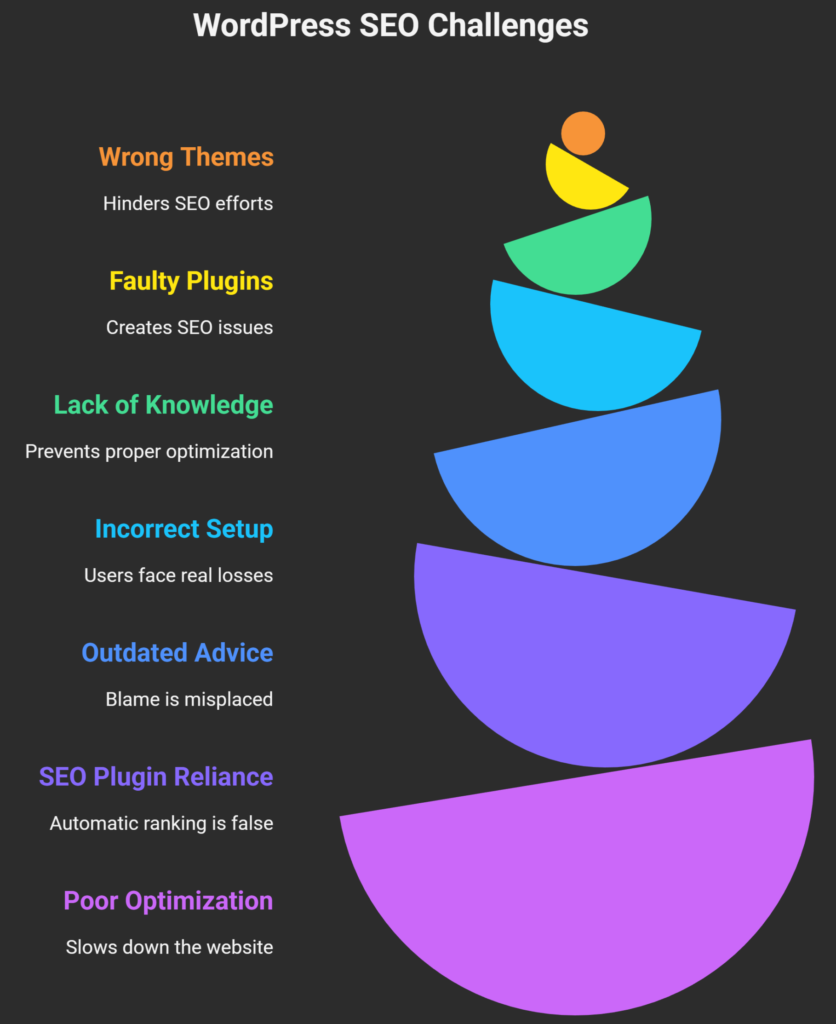
WordPress gives you a strong foundation for search engine optimization, but without proper setup and best practices, sites can remain invisible on Google. Most SEO issues come from wrong themes, plugins, or lack of basic optimization knowledge.
Why Does This Problem Matter?
How This Problem Affects Users
When WordPress SEO is done incorrectly, users face real losses:
- Your website doesn’t appear on Google
- You get little to no organic traffic
- Time and money spent on content go to waste
- Trust in your brand drops because competitors rank higher
I’ve personally seen beginners blame WordPress, when the real issue was poor configuration or outdated advice.
Common Myths or Misunderstandings with WordPress SEO
Many people still believe these myths:
- “WordPress is SEO-friendly out of the box” (partially true, but incomplete)
- “Installing an SEO plugin automatically ranks your site” (false)
- “WordPress is slow, so Google hates it” (only if poorly optimized)
In 2026, Google cares more about site experience, content quality, and technical health, not just the platform.
Read more: What Is WordPress SEO and Why Is It Important
Common Challenges People Face With WordPress SEO
Beginners usually struggle with these issues:
- Choosing heavy or poorly coded WordPress
- Installing too many SEO or performance
- Ignoring Core Web Vitals and page
- Not setting up Google Search Console or XML
- Publishing content without keyword research or
If ignored, these problems lead to poor rankings, low crawlability, and missed traffic opportunities.
How to Solve WordPress SEO the Right Way in 2026
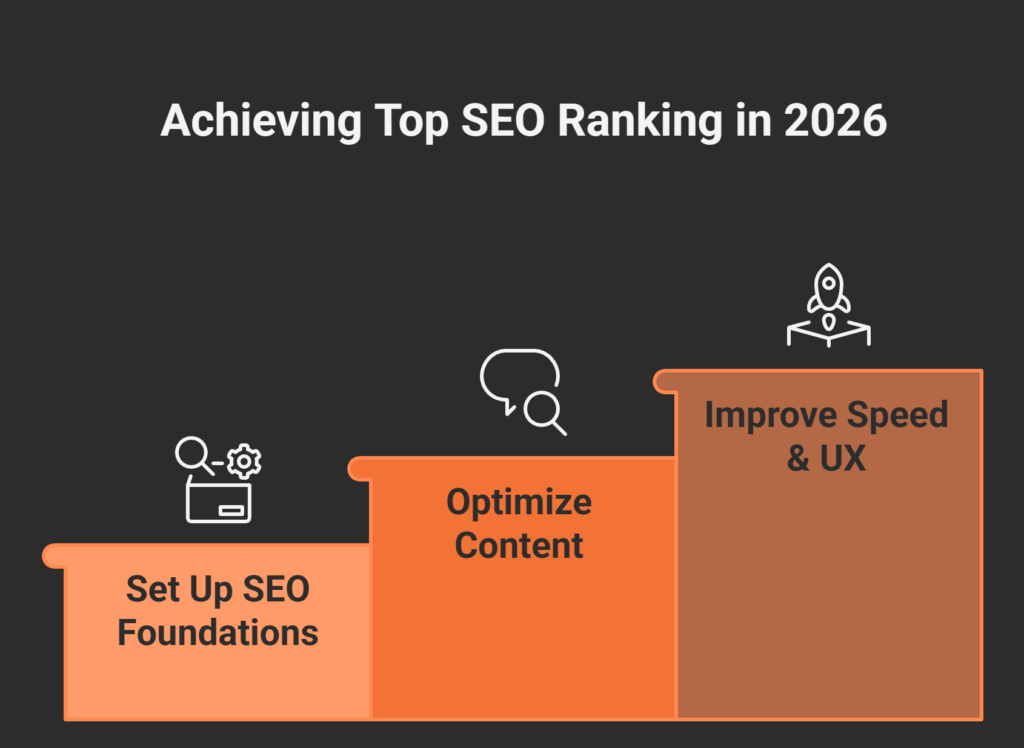
Step 1 – Set Up WordPress SEO Foundations Correctly
Start by configuring the basics properly.
This includes installing a trusted SEO plugin like Yoast SEO or Rank Math, submitting your site to Google Search Console, and generating an XML sitemap.
Why it works:
These tools help Google understand your site structure, pages, and content, which improves indexing and visibility.
Step 2 – Optimize Content the Way Google Understands It
Focus on search intent, not just keywords.
Use one primary keyword per page, write clear headings (H1–H3), and answer questions users are actually searching for.
Common mistakes to avoid:
- Keyword
- Writing long content without
- Ignoring internal linking between related
Tools like Ahrefs, Semrush, or Google Keyword Planner help validate what users are searching for.
Step 3 – Improve Speed, UX, and Core Web Vitals
In 2026, SEO is tightly connected to performance.
Use lightweight themes (like GeneratePress or Astra), optimize images, and use caching tools such as WP Rocket or LiteSpeed Cache.
From experience, even a well-written blog won’t rank if it’s slow or frustrating to use—Google has clearly stated this in its official documentation.
Pros and Cons of WordPress for SEO in 2026
Pros of WordPress SEO
- Flexible and SEO-friendly
- Works well with Google Search Console and
- Large ecosystem of SEO and performance
- Easy content publishing for non-technical
Cons of WordPress SEO
- Requires proper setup (not automatic
- Can become slow if
- Depends heavily on theme and plugin
When used correctly, WordPress remains one of the best platforms for SEO in 2026, especially for beginners.
Learn Top WordPress SEO Optimization Techniques for 2026
Frequently Asked Questions About WordPress SEO
Is WordPress good for SEO in 2026?
Yes, WordPress is good for SEO in 2026 if set up properly. It supports clean URLs, structured content, SEO plugins, and integrates well with Google tools. Poor results usually come from bad themes, plugins, or lack of SEO knowledge.
Why is WordPress SEO difficult for beginners?
Beginners often rely on plugins without understanding SEO basics. WordPress gives flexibility, but that also means more decisions. Without guidance, users make mistakes that affect speed, indexing, and content quality.
How long does it take to see SEO results on WordPress?
Typically, it takes 3–6 months to see noticeable SEO results. This depends on competition, content quality, site age, and consistency. WordPress itself does not delay SEO results—strategy does.
What mistakes make WordPress SEO worse?
Common mistakes include using heavy themes, installing too many plugins, ignoring mobile optimization, and publishing content without keyword research or structure.
Are there risks in using WordPress for SEO?
The main risk is misconfiguration. Poor hosting, nulled themes, or outdated plugins can hurt security and rankings. Using trusted tools and regular updates minimizes these risks.
Final Thoughts: The Real Truth About WordPress SEO
WordPress is not the problem—poor SEO practices are.
When used correctly, WordPress is powerful, flexible, and future-proof for SEO in 2026.
Key takeaways:
- WordPress is SEO-friendly, but not
- Proper setup and content strategy matter more than
- Speed, UX, and intent-based content drive
- Beginners can succeed with the right guidance
If you want to rank your WordPress site faster, avoid mistakes, and build SEO the right way, start applying these steps today—or work with an experienced WordPress SEO expert who understands how Google actually works in 2026.
Get Started Today
We are always here to
help you achieve the unimaginable