
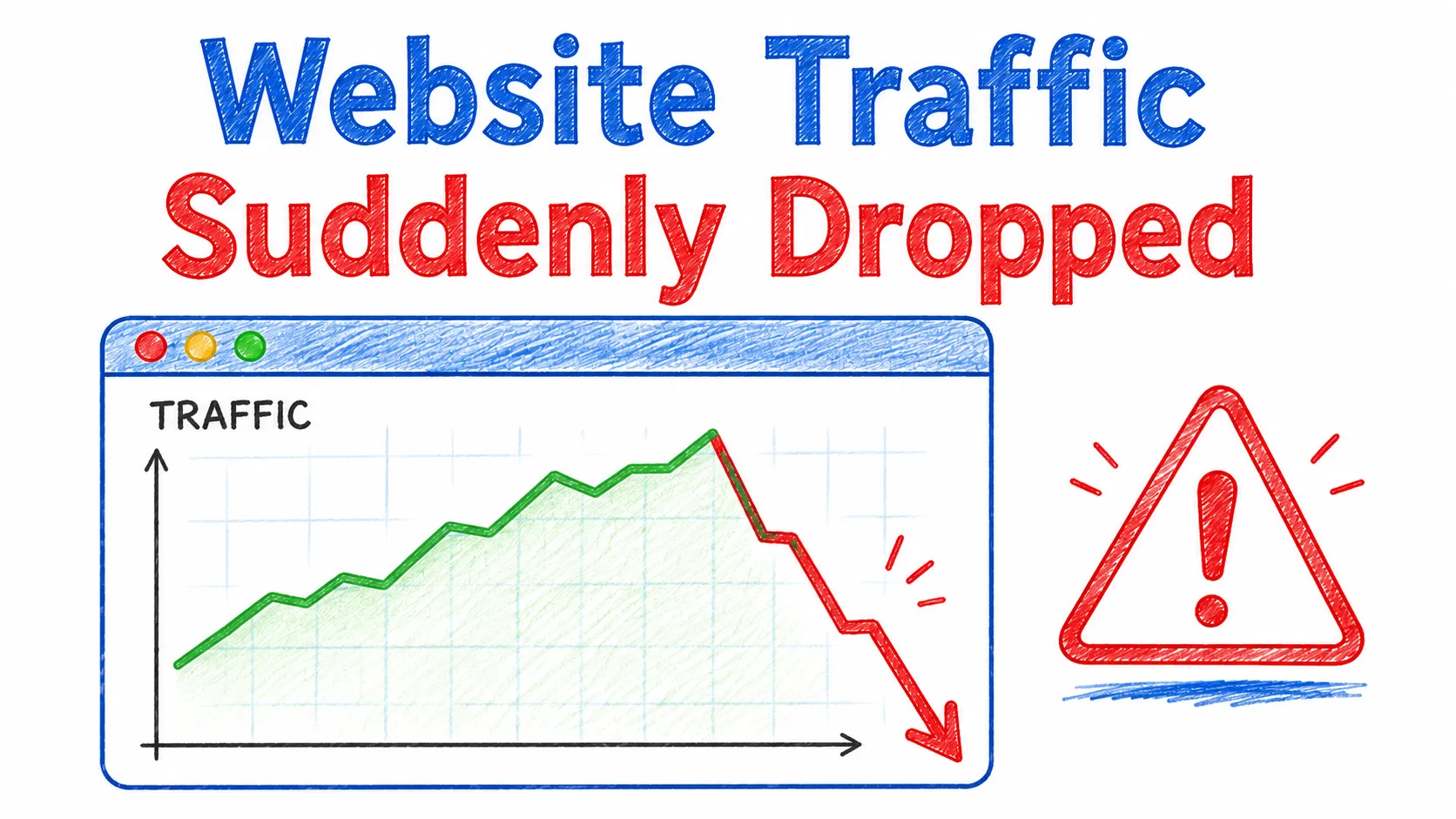
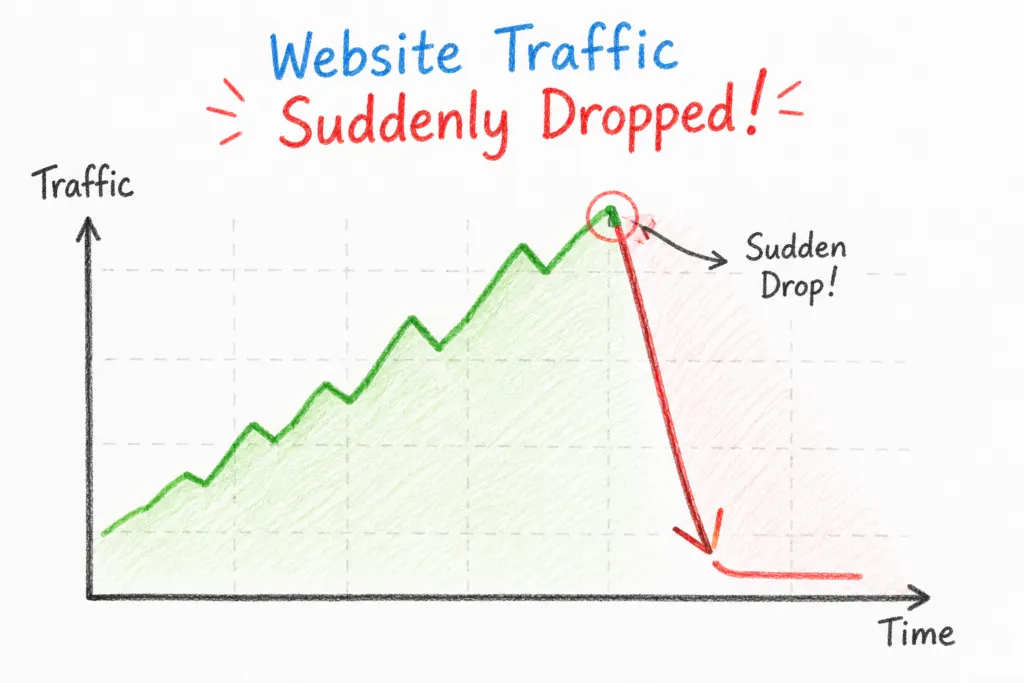
Honestly, that’s one of the most stressful things a website owner can see. You open Google Analytics, notice that your traffic has suddenly fallen off a cliff, and your mind immediately starts racing. Did Google penalize my site? Did I get hacked? Did I mess something up?
But here’s the thing: a sudden traffic drop doesn’t automatically mean Google penalized your website. In fact, there are quite a few reasons your traffic can take a hit, and many of them are more fixable than you might think.
It could be an algorithm update, a technical SEO problem, a tracking issue, lost keyword rankings, changes in search behavior, or even a normal seasonal slowdown. Sometimes, what looks like a major SEO problem is actually something much simpler-like Google Analytics not tracking visits properly.
So, before you panic or start changing everything on your website, take a step back and figure out what actually caused the drop. Once you know where the problem is coming from, you can take the right steps to fix it instead of guessing.
This guide breaks down the most common reasons your website traffic might suddenly drop, how to figure out what’s actually going on, and, more importantly, what you should do next.
If your website traffic suddenly dropped, don’t panic. There are a few common reasons this can happen. It could be a Google algorithm update, a drop in keyword rankings, a technical SEO issue such as crawl errors, indexing problems, or an accidental noindex or robots.txt change. A recent website redesign or migration can also cause traffic to fall. In some cases, the problem may be declining content quality, lost backlinks, stronger competition, or even an issue with your Google Analytics (GA4) tracking.
The best place to start is Google Search Console. Compare your clicks, impressions, rankings, and indexing data from before and after the traffic drop. This can help you narrow down what changed and figure out whether you’re dealing with an actual SEO problem or simply a tracking issue.
Why Did My Website Traffic Suddenly Drop?
A sudden drop in organic traffic usually comes down to one of three things: Google changed something, something changed on your website, or there’s an issue with how your traffic is being tracked.
For example, a Google algorithm update can change how your content is evaluated for quality, relevance, or overall site performance. On the other hand, a technical issue-like broken pages, blocked crawling, or an accidental noindex tag-can cause important pages to disappear from search results without you even realizing it.
And here’s the thing: sometimes, your traffic hasn’t actually disappeared. There could simply be a tracking or reporting problem, making it look like your traffic dropped when it really didn’t.
So, before you panic, it’s worth checking what actually changed.
10 Reasons Your Website Traffic Suddenly Dropped
1. Google Algorithm Updates
Google regularly updates how it evaluates search results – sometimes broadly, sometimes for specific niches like health or finance content. These updates can reshuffle keyword rankings without any wrongdoing on your part.
How to identify it: Check the date of your traffic drop against known Google algorithm update rollout periods. Google Search Console’s Performance report will show a decline in impressions and clicks starting around that date.
First step: Review your content against Google’s helpful content and quality guidelines, and see if competitors who now outrank you offer something more thorough or better structured.
2. Lost Keyword Rankings
Even without a major algorithm update, individual pages can lose rankings due to fresher competing content, changes in search intent, or Google simply re-evaluating relevance over time.
How to identify it: Use Search Console’s Performance report or a rank-tracking tool to compare keyword positions before and after the drop.
First step: Identify which specific keywords dropped and check what’s currently ranking above you for those terms.
3. Technical SEO Problems
Crawl errors, slow page speed, broken internal links, or poor Core Web Vitals can all affect how well Google can access and rank your pages.
How to identify it: Run a technical SEO audit using Search Console’s Coverage and Core Web Vitals reports, or a crawler tool like Screaming Frog.
First step: Fix any pages returning server errors (5xx) or broken links first, since these have the most direct impact on crawling.
4. Pages Accidentally Deindexed
A page that was ranking well can vanish from search results if it gets removed from Google’s index – often due to a site change that wasn’t caught.
How to identify it: Search Console’s Page Indexing report will show “Not indexed” pages along with the reason.
First step: Check whether important pages show as “Discovered – not indexed” or “Crawled – not indexed,” and investigate why.
5. Robots.txt or Noindex Issues
This is one of the most common – and most avoidable – causes of a sudden drop. A single line added to robots.txt, or a noindex tag left on live pages after development, can block entire sections of a site from search engines.
How to identify it: Check your robots.txt file directly and inspect the page source code (or use Search Console’s URL Inspection tool) for noindex tags.
First step: If you recently updated your site or used a staging environment, confirm that noindex settings were switched off before going live.
6. Website Redesign or Migration Problems
Redesigns, domain changes, and platform migrations are one of the riskiest events for organic traffic. Missing redirects, changed URL structures, or lost metadata can all cause a website migration to backfire.
How to identify it: Compare your indexed page count and top-performing URLs before and after the migration date.
First step: Check whether old URLs are properly redirecting (301) to their new equivalents, and confirm nothing important returns a 404.
7. Declining Content Quality or Outdated Content
Content that was competitive a year or two ago may no longer hold up against fresher, more detailed, or better-optimized competitor pages.
How to identify it: Compare your top pages’ publish/update dates with the content currently ranking above you.
First step: Pick your highest-traffic pages that dropped and evaluate whether they still answer the search intent as well as newer competing content.
8. Increased Competition in Search Results
Sometimes nothing changed on your end – a competitor simply published stronger content, earned more backlinks, or improved their technical SEO faster than you did.
How to identify it: Search your target keywords manually and see who’s now ranking above your previous position.
First step: Analyze what the new top-ranking pages do differently – content depth, page experience, or authority signals.
9. Backlink Losses or Link-Related Issues
If referring domains that pointed to your site went down, removed your link, or were affected by a Google update targeting low-quality links, your search visibility can drop.
How to identify it: Use an SEO backlink tool to compare your backlink profile over time and look for lost or removed links.
First step: Identify which pages relied heavily on a small number of backlinks and consider building more diverse link sources.
10. Tracking or Google Analytics/GA4 Configuration Problems
Not every “traffic drop” is real. Incorrect GA4 setup, accidental filter changes, tag manager errors, or consent mode misconfiguration can make traffic appear to disappear when it hasn’t.
How to identify it: Compare Google Analytics data against Google Search Console clicks – if Search Console shows steady clicks but GA4 shows a drop, it’s likely a tracking issue, not an SEO problem.
First step: Check your GA4 property settings, tracking code placement, and any recent changes to tags or filters.
How to Find Out Why Your Traffic Dropped
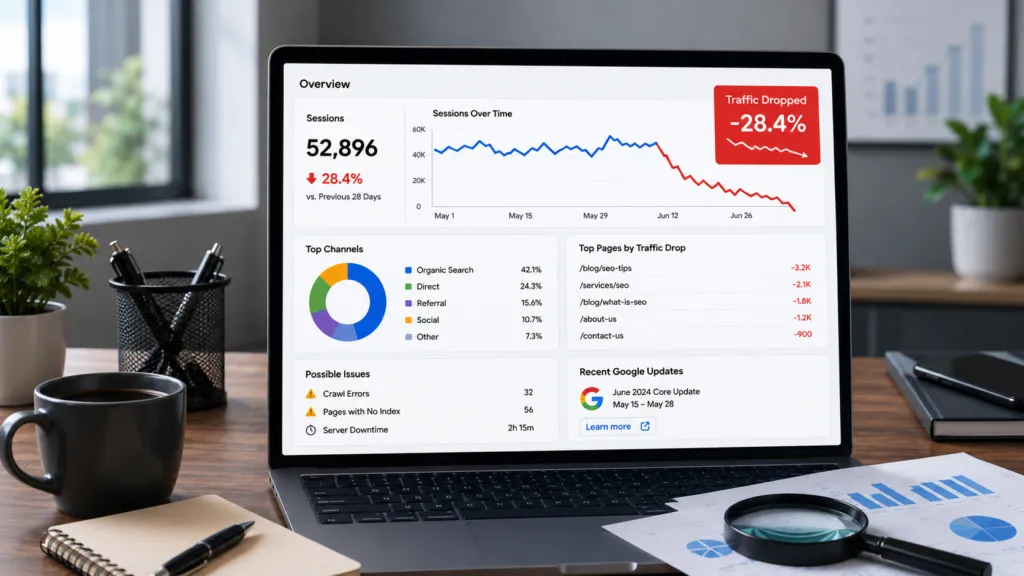
Diagnosing a sudden traffic drop is a process of elimination. Work through it in this order:
- Check Google Search Console first. Look at the Performance report to see if clicks and impressions dropped together (suggesting a ranking or algorithm issue) or if impressions stayed flat while clicks fell (which can point to CTR or SERP feature changes).
- Check the Page Indexing report. Look for a sudden increase in “Not indexed” pages.
- Cross-check with Google Analytics/GA4. Compare organic traffic against Search Console data to rule out tracking issues.
- Review Core Web Vitals and technical SEO reports for spikes in errors or slow-loading pages.
- Use an SEO tool to check for ranking changes, lost backlinks, or new competitor content.
- Line up the timeline. Match the exact date traffic dropped against any site changes, migrations, plugin updates, or known algorithm update rollouts.
The goal is to compare “before” and “after” data across rankings, indexing, technical health, and tracking – not just traffic numbers alone.
How to Tell If You Have a Google Traffic Loss or an SEO Problem
Not all traffic drops are the same, and treating them the same way can waste time.
- Algorithm-related changes: Traffic drops across many pages around the same date, often tied to a known Google update window. Rankings shift broadly rather than for one isolated page.
- Technical SEO issues: Traffic drops for specific pages or sections, usually tied to indexing, crawl errors, or site changes – not necessarily an algorithm update.
- Ranking losses: Gradual or sudden keyword position drops for specific queries, often due to stronger competing content.
- Tracking problems: Google Analytics shows a drop, but Search Console clicks remain stable – the traffic is real, but not measured correctly.
- Seasonal fluctuations: Traffic dips at predictable times of year (e.g., B2B traffic dropping over holidays, or seasonal product searches declining out of season).
What Should You Do After a Sudden Traffic Drop?
Once you’ve noticed a sudden traffic drop, work through this checklist before making any major changes to your site:
- Check Google Search Console for indexing and performance changes
- Compare which specific pages lost the most traffic
- Identify which keywords lost rankings
- Confirm affected pages are still properly indexed
- Review any recent changes made to the website (plugins, themes, redesigns)
- Run a technical SEO check for crawl errors and broken links
- Review content quality on the pages that dropped
- Analyze what competitors are currently ranking for those keywords
- Check your backlink profile for losses
- Monitor rankings and traffic over the following weeks rather than reacting immediately
When Should You Hire an SEO or WordPress Expert?
Some traffic drops are simple to resolve – a missed redirect or a noindex tag left on by mistake. Others are harder to pin down, especially when multiple factors overlap.
It’s usually worth bringing in professional help when:
- Traffic continues declining over multiple weeks with no clear cause
- Several pages or sections are losing rankings at once
- Technical problems are hard to identify or fix internally
- A recent website migration appears to be the trigger
- Important pages show as “not indexed” with no obvious reason
- Search Console shows unusual errors you can’t explain
- You’ve already tried fixes and traffic still hasn’t recovered
Frequently Asked Questions
Why did my website traffic suddenly drop?
Most sudden traffic drops come from a Google algorithm update, lost keyword rankings, technical SEO issues like indexing or crawl errors, a recent website migration, or a Google Analytics tracking problem. Checking Search Console and Analytics together usually reveals which category applies to your situation.
How do I recover from a sudden traffic drop?
Start by identifying the exact cause using Search Console and Analytics data. Fix technical issues first (indexing, broken pages, redirects), then address content quality and rankings. Recovery timelines vary depending on the cause and how quickly Google recrawls your site.
Can a Google algorithm update cause traffic loss?
Yes. Algorithm updates can change how Google evaluates content quality, relevance, or technical performance, which can shift rankings across many pages at once, even without any policy violation on your part.
How do I check Google traffic loss?
Compare your Google Search Console Performance report before and after the drop, looking at clicks, impressions, and average position. Cross-reference this with Google Analytics/GA4 to confirm the drop is real and not a tracking issue.
How long does it take to recover SEO traffic?
It depends on the cause. Fixing a technical issue like a noindex tag can show results within days to weeks once Google recrawls the site. Recovering from lost rankings due to content or algorithm changes can take longer and isn’t guaranteed.
Can technical SEO cause a traffic decline?
Yes. Issues like crawl errors, slow site speed, broken internal links, poor Core Web Vitals, or accidental noindex tags can all prevent pages from being properly indexed or ranked, leading to a real drop in organic traffic.
Why did my Google rankings suddenly drop?
Ranking drops can result from algorithm updates, stronger competing content, technical issues affecting crawlability, lost backlinks, or outdated content that no longer matches search intent as well as it once did.
When should I contact an SEO professional?
Consider professional help if traffic keeps declining without a clear explanation, multiple pages are affected, a migration seems to be the cause, or your own troubleshooting hasn’t resolved the issue after a reasonable amount of time.
Conclusion
A sudden traffic drop can definitely be stressful, but honestly, it’s usually not as mysterious as it seems. Once you look at the right data, you can often figure out what’s going on. In many cases, the problem comes down to things like a Google algorithm update, lost keyword rankings, a technical SEO issue, indexing problems, a recent website migration, declining content quality, lost backlinks, or even a Google Analytics tracking issue. It doesn’t necessarily mean your website has been penalized.
This is where a WordPress SEO Audit can really help. It gives you a chance to take a closer look at your website and find out exactly where you might be losing search visibility.
Before you start making major changes, though, take a step back and figure out what actually happened. Start by checking Google Search Console, compare the data with Google Analytics, and think about any technical, content, or website changes you made recently. Basically, let the data tell you what’s wrong instead of making random changes and hoping something works.
If you’re dealing with technical errors, weak on-page SEO, or a noticeable drop in search visibility, getting help from professional WordPress SEO Services can also make things a lot easier. An experienced SEO team can take a more structured look at the problem and help you work toward the right solution.
And if you’ve already checked everything you can and still can’t figure out why your traffic is dropping-or the decline just keeps getting worse-it might be time to get another perspective. WP Badgers helps WordPress site owners investigate traffic drops, technical SEO problems, and other search visibility issues so you can understand what’s actually happening instead of just guessing at the solution.